
How to read a CARFAX report: two samples explained
Read the data date, damage, total loss, ownership and rental use in two public CARFAX samples. Use the findings to decide what to check before bidding.
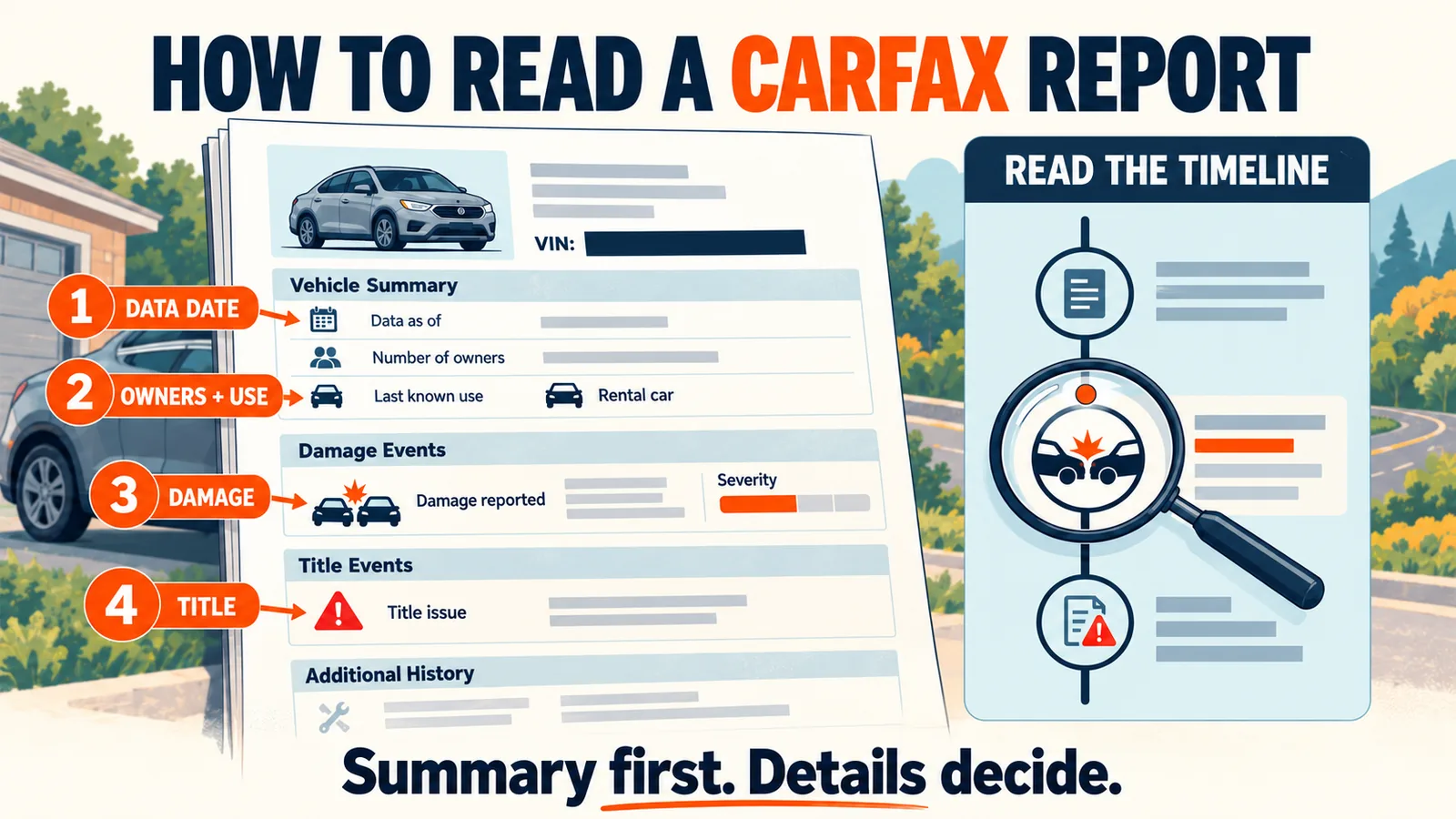
Start with the VIN and data date, then examine events that could change your buying decision. We use two NotedCar samples: a 2026 BMW X5 in English and a 2024 BMW 330i in Ukrainian. These are different vehicles, not translations of one report. VINs are masked; neither sample describes the car you are checking.
1. Match the vehicle and check the data date
For your own report, match all 17 VIN characters against the listing and the vehicle. Matching make and model alone is not enough. The masked VINs in these public examples make them learning material only.
Below the English sample’s summary, the data date is April 15, 2026. The damage entry underneath is dated October 28, 2025. These dates describe different things: when the data was available and when the event occurred. Downloading the PDF today does not refresh the history it contains. Not every PDF carries this line, and its absence does not make a report more recent.
2. BMW X5: one owner, rental use and damage
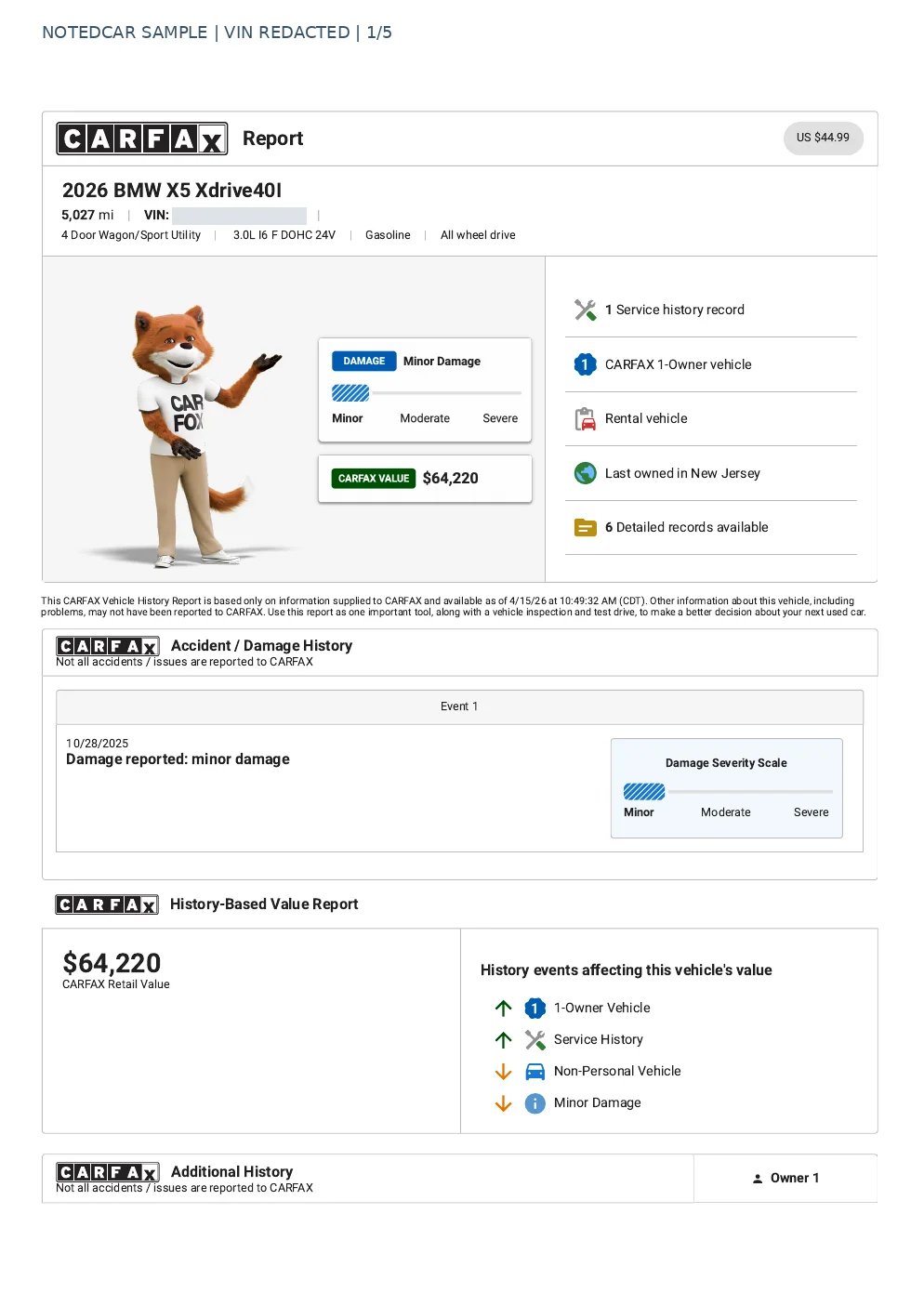
- 1The summary records one owner and rental use. A single company can own a car driven by many renters.
- 2The damage entry is dated October 28, 2025. One owner therefore does not establish an accident-free history.
- 3The header shows 5,027 miles. Compare that figure with dated entries and the current odometer; it does not establish today’s mileage.
The minor-damage label is not a repair estimate. Check photos, repair records and the vehicle itself. Open the English PDF to read beyond the first-page summary.
3. BMW 330i: damage and an insurance total loss
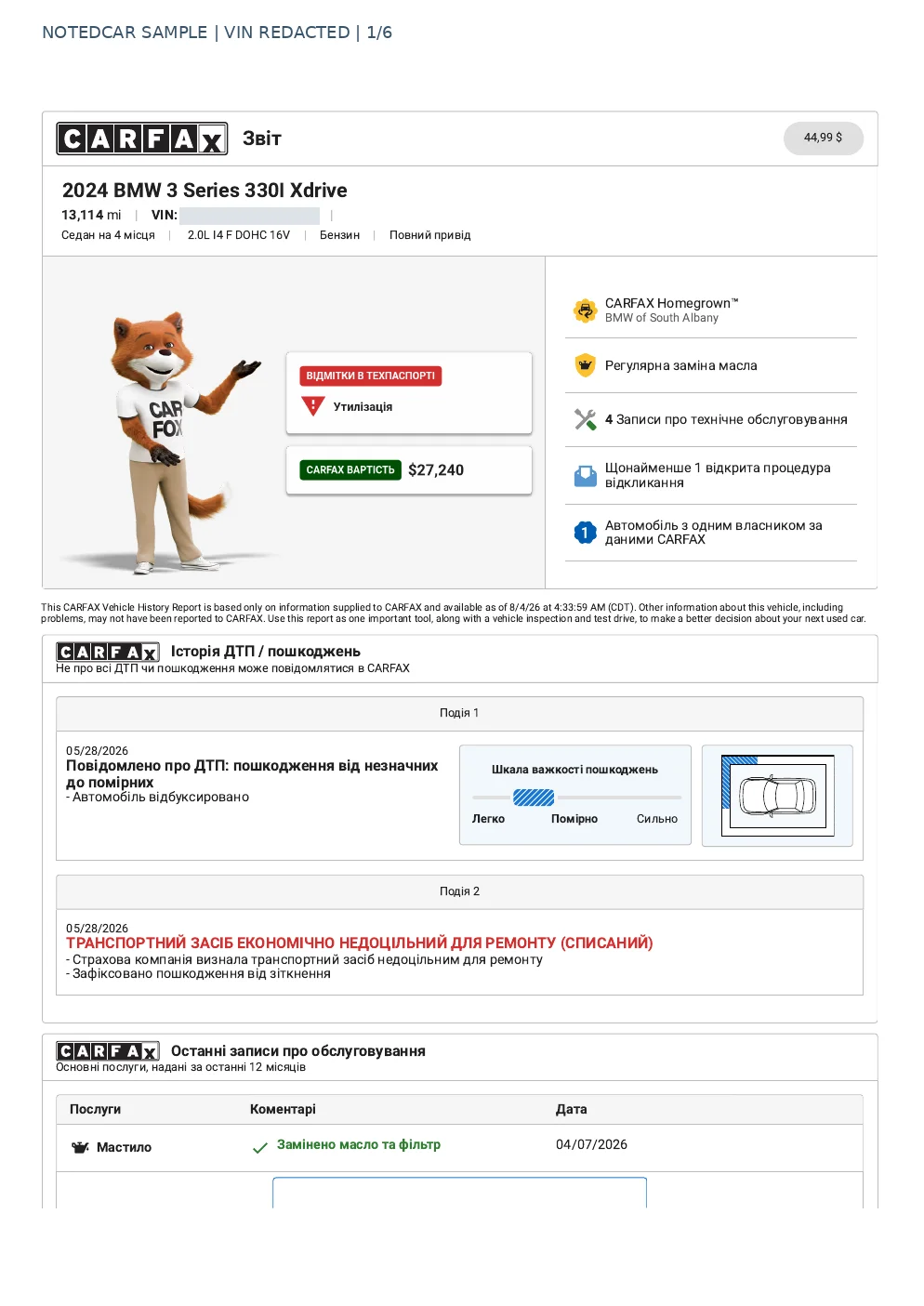
The first page has two entries for May 28, 2026: an accident with towing and an insurance decision that repair was not economically viable. The damage scale alone does not communicate that whole picture. Two entries on one date do not automatically mean two separate crashes.
Page 2 flags a title-history problem. Check the actual auction document with the title tool before making export decisions. A historical CARFAX entry does not replace the current document. Open the Ukrainian PDF to inspect the details.
4. Follow the timeline, not just the badges
List the dates, mileage readings, registration locations and events in order. If mileage falls, first check units, dates and possible recording errors. A gap in service entries does not prove maintenance was skipped: the work may not have reached the database.
Dollar figures printed in these examples belong to the source documents. They do not set NotedCar’s checkout price or predict the car’s future sale price. Auction bids and sale attempts are a separate check in the lot report.
5. Before you bid
- 1Match the VIN and read the data date where the report shows one.
- 2Read every damage, title and mileage entry in chronological context.
- 3Compare the history with auction photos, the current title and an independent inspection.
- 4Resolve missing information before bidding; an absent record is not a guarantee.
See the VIN-history guide for broader limitations. If you are looking for a free CARFAX report, distinguish a seller-provided report from a free availability check.
Check availability for your VIN at no cost. The order page shows the price of the paid PDF.
Check CARFAX availability