
BidFax alternative: Copart sale history by VIN with 360° photos
BidFax shows the final bid on Copart and IAAI cars by VIN. How to read a result and a "not sold" row, what the archive leaves out — and where to find sale history with every photo, 360°, engine video, relists and market-wide filters.
BidFax is a free website that collects completed Copart and IAAI auctions and shows them by VIN or lot number: damage photos, odometer, title type and the final bid. For anyone buying a car from the US it is the fastest way to learn what a car actually sold for. Below: how to use it, how to read a result and where it misleads.
Want more than a final bid: every photo, 360°, engine video, relists and market-wide filters? See the NotedCar sale history — a paid Copart and IAAI archive searchable by VIN or lot number, from $12 a month.
What BidFax is and why it has so many clones
Copart and IAAI do not publish auction results: the lot page disappears after the sale, and only bidders see the price, briefly. So sites appeared that copy live lots every day — photos, description, VIN — and append the final bid once the auction closes. BidFax (bidfax.info) is the best known of them in Ukraine, which is why "bidfax" became the generic word for any such archive.
There are several, and they all work the same way: bid.cars (a "BidFax" section on a broker’s site), finalbid.vin, stat.vin, autohelperbot. Their data overlaps because the source is the same — the auctions’ public pages. If a VIN is missing on one site, check another: records do not vanish everywhere at once.
How to look a car up on BidFax
- 1Find the VIN. On a Copart or IAAI lot it is in the lot card; in a classified ad, in the documents or on the plate under the windshield. 17 characters, never I, O or Q.
- 2Enter the VIN or lot number in the search. Most archives accept either; finalbid.vin also searches by the first characters of a VIN.
- 3Open every card. If the VIN ran more than once you will see several records under different lot numbers. Read all of them, not only the latest.
- 4Save the photos and the sale date. Records on these sites vanish; a screenshot with the VIN and date is all you will have when you talk to the seller.
If an IAAI VIN is masked with asterisks (common on Canadian lots), a VIN search will not work — search by lot number instead. The free VIN decoder confirms the number belongs to this model and year at all.
How to read a result: final bid, "not sold", relists
A BidFax card looks simple — year, model, damage, price. The mistakes start with interpretation.
- Final bid. The highest bid when the auction closed. If the status is Sold, this is what the winner paid before auction fees.
- Not sold. There was a bid, but the seller rejected it — the lot ran On Approval or with a reserve. The figure next to it is a rejected bid, not a price. More on the statuses in Copart sale types.
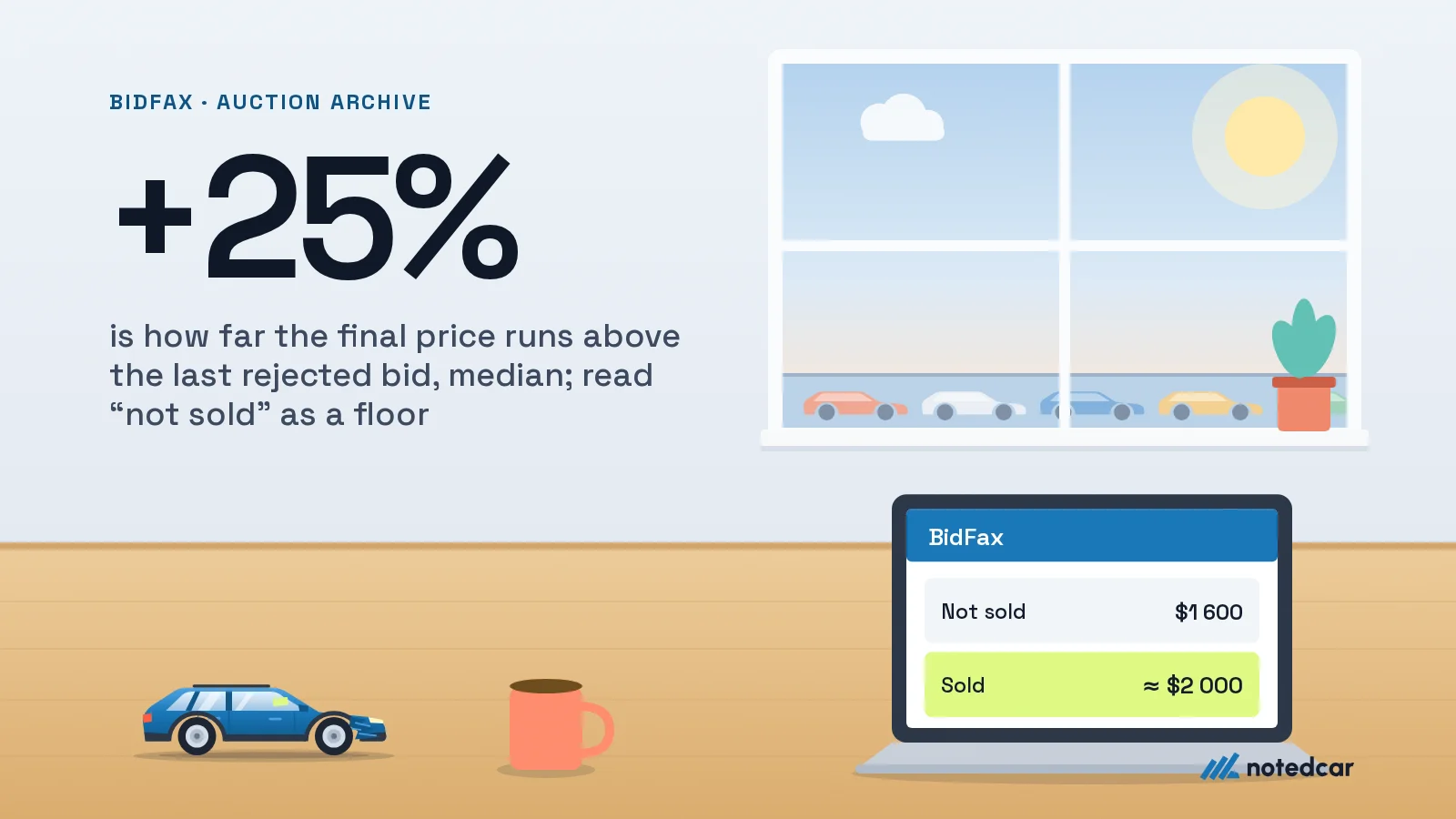
- Several lots with one VIN. The car was relisted. In our data for one week of sales in October 2026, 28% of sold cars had at least one failed attempt in the prior 90 days, and the final price was a median 25% above the last rejected bid. A rejected bid is a floor, not a ceiling.
- Sale date. A two-year-old price says nothing about today’s market; in the same week, 4.6% of sold cars had been sold at auction before — at a median 0.55 of the earlier price.
And above all: the final bid is not the landed price. Auction fees, inland delivery in the US, ocean freight, customs and the broker come on top. The gap between the bid and what the buyer paid at the port is larger than the card suggests. Run the numbers in the fee calculator and the customs calculator.
What BidFax does not show or gets wrong
- Records disappear. Paid VIN-removal services exist for these sites, and sellers who would rather hide an auction history use them. A missing card does not mean the car was never at auction.
- Low-resolution photos. The archives keep downsized copies; a cracked windshield or a repair seam between panels is invisible on them.
- No 360° and no engine video. For part of their lots Copart and IAAI shoot walk-around photos, an interior panorama and an engine start video. The free archives do not keep them.
- No seller type. Insurer, dealer, bank or rental fleet — it drives both the price and the reason the car is at auction. At best the archives show a name.
- One lot at a time. You see one car’s card, not the market: how many identical cars sold this month and for how much. Without that you cannot tell a cheap lot from a dear one.
- Data errors. The odometer on the card is the reading at assessment, not a verified figure; the damage type is an insurer’s code that describes only the primary hit. What the codes mean is in the damage codes guide.
Checking a car that is already in Ukraine
The most common case: a classified ad — "from the US, light front-end hit, everything fixed". Here BidFax works as a discrepancy detector between the story and what the auction saw.
- 1Compare the damage with the story. A "light hit" with a Front End code and deployed airbags in the photos is a different car and a different repair.
- 2Look at the odometer. If the auction recorded 120,000 miles (about 193,000 km) and the ad says 90,000 km, the odometer has been rolled back.
- 3Check the title type. Salvage, Certificate of Destruction, Parts Only are different documents and different registration scenarios; see the US title guide.
- 4Compare the price. Final bid plus import costs is the base cost. If the ad is noticeably cheaper, the saving came out of the repair.
The title check at NotedCar finds a lot by VIN or lot number among current Copart and IAAI lots; for a sold car it tells you whether its history is in the archive.
BidFax, the NotedCar archive and CARFAX: which does what
The three tools answer different questions, and none replaces another.
| BidFax and similar sites | NotedCar archive | CARFAX | |
|---|---|---|---|
| What it shows | The auction card: photos, bid, damage | The same sales with full media and market-wide filters | Road history: owners, accidents, service, odometer |
| Search | VIN or lot number | VIN, lot number or filters by make, model, trim, year, odometer, damage, title, seller type and sale date | VIN |
| Photos | Downsized copies | The full HD set, 360° exterior and interior and engine video where the auction shot them | None |
| Earlier attempts | Partly | Every attempt of the VIN under any lot number | Some auction records |
| Seller | Sometimes a name | Seller name and type | None |
| Price | Free | $12 a month | 45 UAH per report, no account |
CARFAX and an auction archive complement each other: the report shows the car was a rental with two accidents before Copart; the archive shows what was wrecked and what it sold for. The CARFAX report at NotedCar costs 45 UAH and needs no account; how to read it is in checking a car’s history by VIN.
When free BidFax is enough, and when it is not
For a one-off check of a single ad a free archive is enough: you will see whether the car was at auction and with what damage. Paying makes sense for what these sites do not have.
- You are choosing a lot to bid on. For one live Copart or IAAI lot the lot report at NotedCar is free after sign-up: every photo, the title verdict and this VIN’s earlier runs under other lot numbers.
- You need the market, not one card. NotedCar’s sale history archive ($12 a month) searches Copart and IAAI in the US and Canada with filters by make, model, trim, year, odometer, damage, title, seller type and sale date, shows the seller’s name and type and monthly price trends. Medians per model are collected on the sold price pages.
- Details matter to you. HD photos, 360° and engine video in the archive show what the downsized copies lose.
How to pick comparables and work a maximum bid back from sold prices is in Copart sold prices.
Every Copart and IAAI sale by VIN, lot number or filters — with full photos, 360° and engine video.
Open the sale history